PROJECT VOTE SMART
Everything you need to know about your elected officials or favorite candidates. This is a quick resource for Biographical Information, Voting Records, Issues, and Even Campaign Finance Expenses.
Easy to search by Zip Code or Name. All the Contact information is included such as Address, E-mail, and Phone Numbers.
Use this link to access the Website:
http://votesmart.org/index.htm
100.26
Contribution Source:
VoteSmart.org
6/12/08
 VERY CLEVER INTERNET VIDEO
Copy and Paste the Following Link
http://youtube.com/watch?v=vUrTW0HK5Ec&feature=related
(Tune: Sound of Music).
100.25
Contribution Source
YouTube.com
6/12/08
 This central site allows you to request a free credit file disclosure, commonly called a credit report, once every 12 months from each of the nationwide consumer credit reporting companies: Equifax, Experian and TransUnion.You may request your free credit report online, request your report by phone or request your report through the mail. Free credit reports requested online are viewable immediately upon authentication of identity. Free credit reports requested by phone or mail will be processed within 15 days of receiving your request.
There are many Websites that offer a Free Credit Report, but usually with the condition that you subscribe or purchase some other product. This is the only site designated by Congress for a Free Annual Credit Report - No strings attached.
100.24
Contribution Source:
Annual Credit Report.com
6/12/08
 Check out all your Local Gas Stations Prices daily - right on your Desk Top.
All you need is a Zip Code.
You can check prices daily right from the website alone or download the following Widget to your Desk Top.
Total Cost: FREE
Copy/Paste This Link:
http://www.automotive.com/widgets/gas-prices/index.html
100.23
Contributing Source:
Automotive.com
5/10/08
 Kijiji.com - View and search Local Classified Ads for hundreds of merchandise Categories.
You can post your own ads and even include a photo.You can correspond with Buyer/Seller via e-mail or phone also.
Total Cost: FREE
100.22
Contributing Source:
Kijiji.com
5/10/08
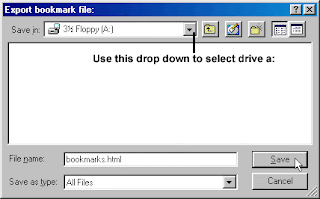 If you are looking for an easy way to move your favorites from onecomputer to another, or just wanting to have a backup copy, theeasiest thing to do is put your favorites on what is known as athumb drive or data stick. You can get one at any office supplystore, or even Wal-mart.All you really need to do, is find your favorites folder and drag itto your disk, or burn it onto a CD. Let's get started.To find your favorites folder, you can use one of several methods. 1. Click on "Start" then "Run". Type "Favorites" in the run box andclick "OK" to open your favorites folder.2. Click on "Start" then "Search". Search for all files and foldersnamed "Favorites" and find the one that has your favorites. It willhave a star icon rather than a folder icon.3. Browse through your hard drive and find the favorites folder. Inolder versions of Windows, it will be in the "Windows" folder ofyour hard drive. In Windows XP, it will be in the "Documents andSettings" folder of your hard drive. In Windows Vista, it will bein your user folder which can be accessed by clicking Start, thenclick on the button in the upper right corner of your start menu.Once you have located your "Favorites" folder, it is a simple thingto drag it to a disk, or right click on it point to "Send To" andthen click on your CD-RW drive to copy it to a CD.
100.21
Contributing Source:
Elizabeth Boston
5/10/08
 An animator faces his own animation in deadly combat. The battlefield? The Flash interface itself. A stick figure is created by an animator with the intent to torture. The stick figure drawn by the animator will be using everything he can find - the brush tool, the eraser tool - to get back at his tormentor. It's resourcefulness versus power. Who will win? You can find out yourself.Copy & Paste this Link:http://alanbecker.deviantart.com/art/Animator-vs-Animation-34244097100.20Contributing Source:Alan Becker5/10/08